> ## Documentation Index
> Fetch the complete documentation index at: https://help-onechatai.telavi.com.ph/llms.txt
> Use this file to discover all available pages before exploring further.
# 📃 Getting All the Necessary Details from Meta Developer Dashboard
> This page contains information about the key details you need to copy from the Meta Developer Dashboard.
This guide walks you through retrieving the essential details from the Meta Developer Dashboard required for integrating WhatsApp services into your application or business.
***
## Step 1: Access the Developer Dashboard
1. Open your browser and navigate to the **Meta Developer Dashboard**.
2. Log in using your developer account credentials.
***
## Step 2: Navigate to WhatsApp API Setup
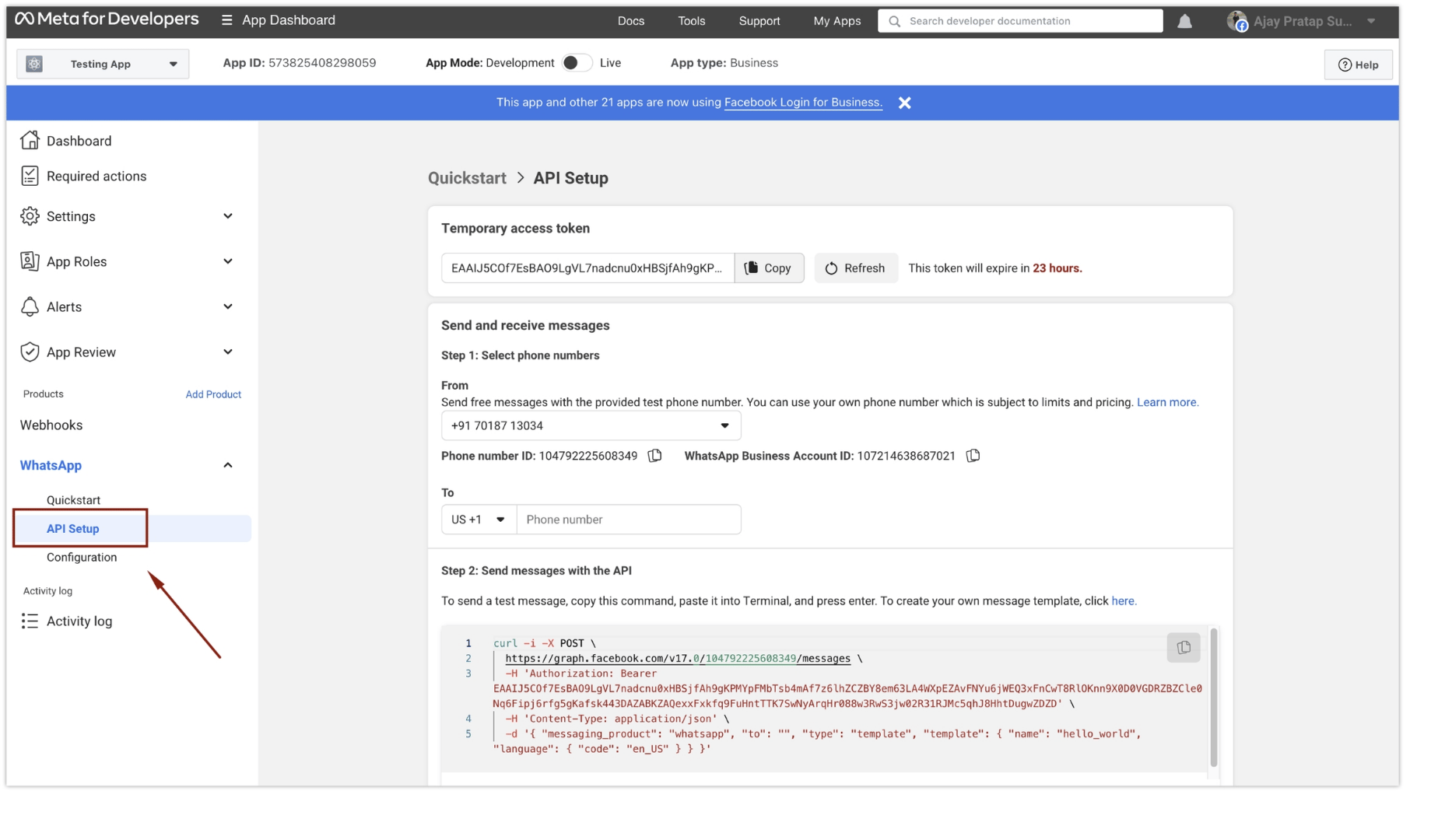
1. Once logged in, locate the left sidebar.
2. Click on **"API Setup"** under the **"WhatsApp"** section.
 ***
## Step 3: Select Phone Number and Copy Details
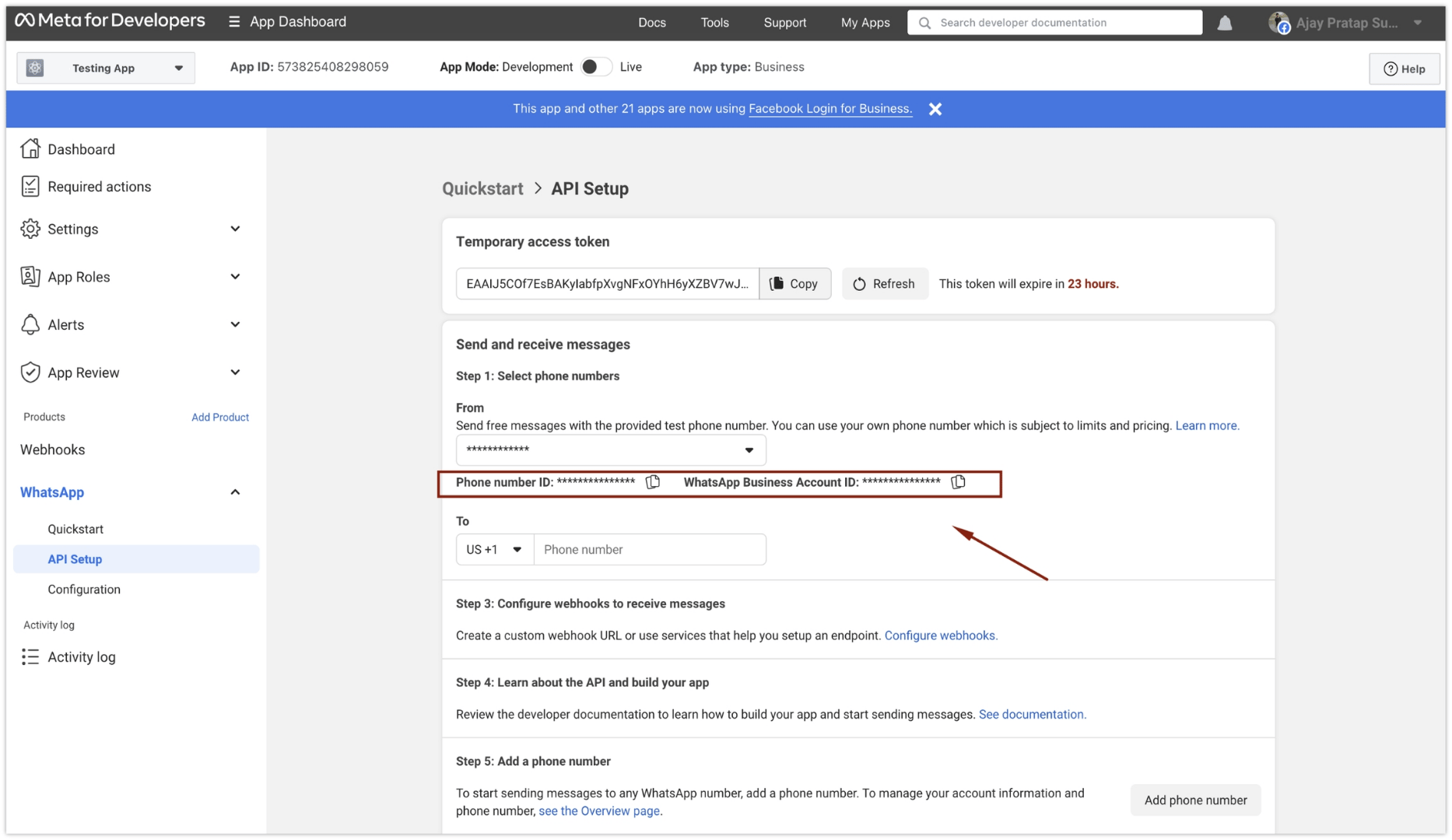
1. On the WhatsApp API Setup page, go to **"Step 1: Select Phone Numbers"**.
2. Select the correct **"From"** number from the available options.
3. Copy both the:
* **Phone Number ID**
* **WhatsApp Business Account ID (WABA ID)**
***
## Step 3: Select Phone Number and Copy Details
1. On the WhatsApp API Setup page, go to **"Step 1: Select Phone Numbers"**.
2. Select the correct **"From"** number from the available options.
3. Copy both the:
* **Phone Number ID**
* **WhatsApp Business Account ID (WABA ID)**
 ***
## Step 4: Copy the System User Token
Copy the **System User Token** that you generated during the system user setup process.
Keep all credentials — Phone Number ID, WABA ID, and System User Token — secure. Do not share them with unauthorized parties.
***
You have successfully retrieved all the essential details from the Meta Developer Dashboard. These credentials are required for setting up and using WhatsApp services within your application or business.
If you encounter any difficulties, write to us at [mailto:support@telavi.com.ph](mailto:mailto:support@telavi.com.ph). We will respond within 48 business hours.
***
## Step 4: Copy the System User Token
Copy the **System User Token** that you generated during the system user setup process.
Keep all credentials — Phone Number ID, WABA ID, and System User Token — secure. Do not share them with unauthorized parties.
***
You have successfully retrieved all the essential details from the Meta Developer Dashboard. These credentials are required for setting up and using WhatsApp services within your application or business.
If you encounter any difficulties, write to us at [mailto:support@telavi.com.ph](mailto:mailto:support@telavi.com.ph). We will respond within 48 business hours.