

Step 1: Access the Developer Dashboard
- Open your browser and navigate to the Meta Developer Dashboard.
- Log in using your developer account credentials.
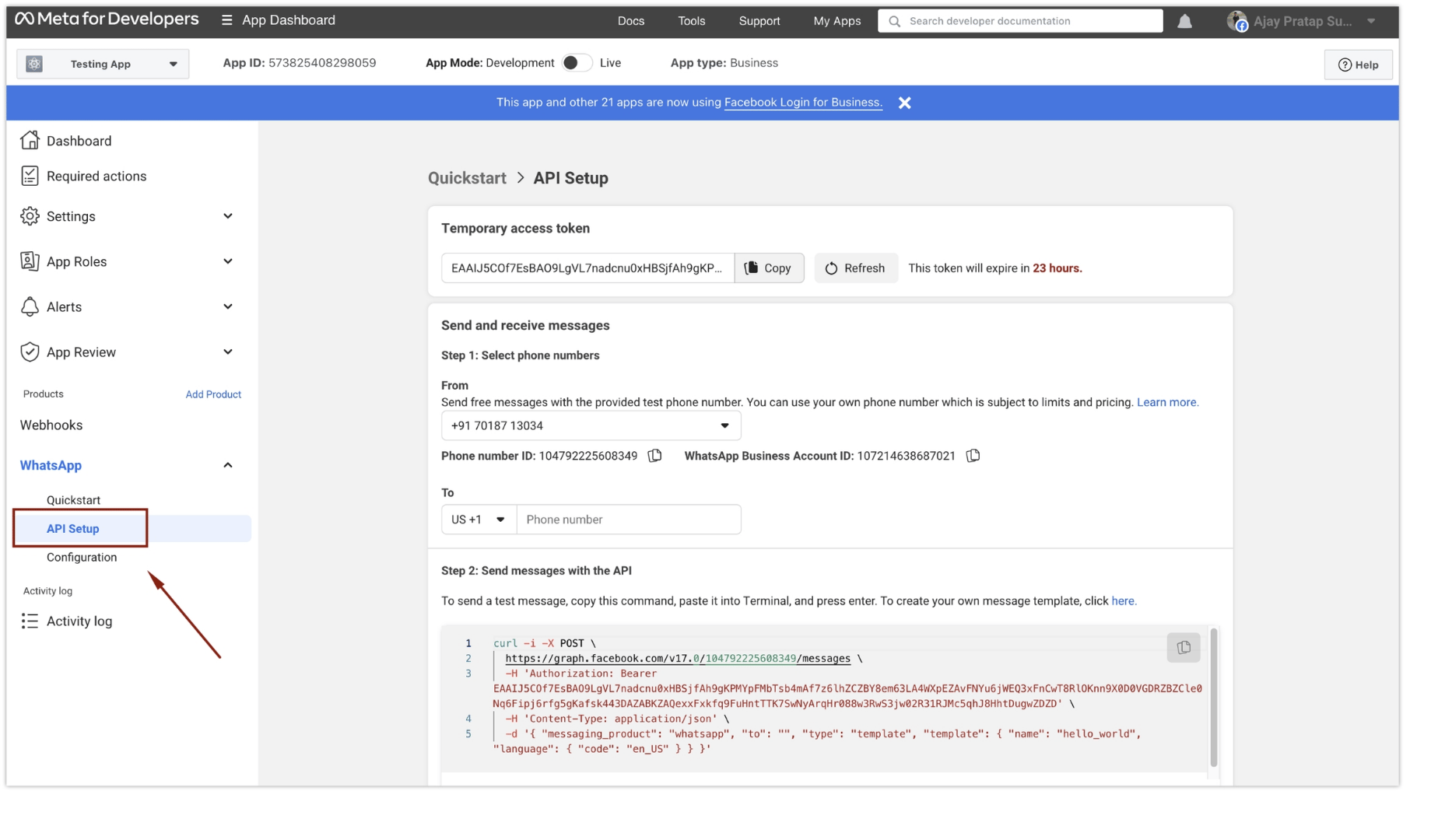
Step 2: Navigate to WhatsApp API Setup
- Once logged in, locate the left sidebar.
- Click on “API Setup” under the “WhatsApp” section.
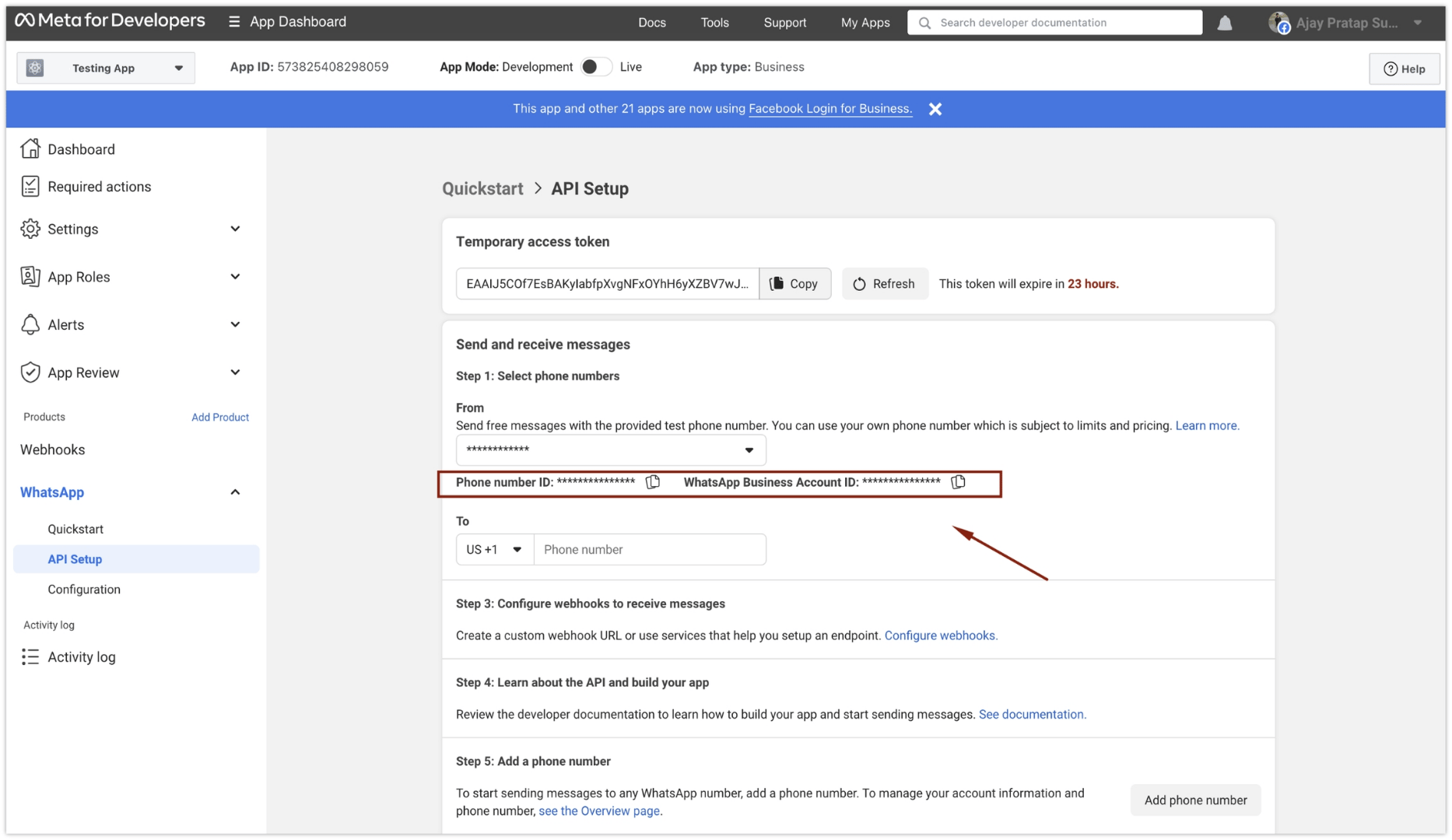
Step 3: Select Phone Number and Copy Details
- On the WhatsApp API Setup page, go to “Step 1: Select Phone Numbers”.
- Select the correct “From” number from the available options.
- Copy both the:
- Phone Number ID
- WhatsApp Business Account ID (WABA ID)
Step 4: Copy the System User Token
Copy the System User Token that you generated during the system user setup process.You have successfully retrieved all the essential details from the Meta Developer Dashboard. These credentials are required for setting up and using WhatsApp services within your application or business.